Monday, March 31, 2014

Free online timers that you’ll find very useful in your classroom

Recently a teacher friend asked me if I knew of any free online timers, and this sent me on a bit of a search to see what was ‘out there’ in addition to my old favourite that I always use. What a pleasant surprise I got to see the great options available. 2.

1. Online stopwatch:. (http://www.online-stopwatch.com/)
If ever there was a site with a really good collection of timers it is this one. They have a lot of nice options for the classroom. All of these can be set to countdown any given number of seconds and minutes. They also can be paused and reset. All have a feedback sound when the time has run out.


image


Here are just a few that I have tried. You’ll find all the links at the above-mentioned site  http://www.online-stopwatch.com/

a) Egg timer b) Clock countdown
image image
c) Bomb countdown d) Dynamite timer
image image
e) Candle timer f) Swimming timer
image image

2. Online egg timer http://my.online-eggtimer.com/
This timer allows you to set three different timers at the same time should you so wish. . They all have the same alarm ring.


image


3. Google Chrome Store – Apps
I have two apps installed from the Google Chroie Store on my laptop.


a) Timer-tab http://goo.gl/0jFPO b) Task timer http://goo.gl/pMXQA
image
image
c) Talking of Chrome another very quick way to start a timer running is to simply type timer into the Chrome omnibar and click enter. A timer immediately opens which one can set and use


image


4. Timerr.com http://timerrr.com/
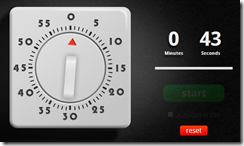
If you are wanting to work in minutes timerr.com http://timerrr.com/ is an interesting choice with an interesting interface and a gentle once-off bell when the time is reached.

image


5. Class DojoIf you are a Class Dojo  fan like I am (I love using Class Dojo for classroom motivation) you’ll notice that they have now built in a timer into their interface. They have created a video showing how this works found at http://goo.gl/ZTXdVk

image

6. The tomato timer http://tomato-timer.com/  
The Pomodoro Technique is a productivity methodology that helps you to stay focused on a task by breaking up your day into 25-minute work stints followed by five-minute breaks. Here are a selection of free apps that can be used to time your pomodoros. Here is the Tomato timer which is part of this method. 


image


Read more about timers to use in the Pomodoro Technique on this post – 9 free Pomodora timers

7. iPad and Android apps
 IPad and Android also have useful, free timer apps. For iPad try Best Countdown and for Android try Countdown WidgetCountdown Timer on Android is another good option
a) Best Countdown on iOS b) Countdown Widget on Android
image image

Do you perhaps have a favourite that is not listed here?

Sunday, February 9, 2014

Aurasma - you'll LOVE using this app


image
This great app is available on both Android and iPad devices. It has so much potential for exciting lessons. 

What is Aurasma?
I first learned about Aurasma at Iste 2013 where I attended a couple of great sessions from a lecturer at a Teacher Training Institution in the United States. Aurasma seems to be a step up on QR codes. It is a free App available on Android and iOS to bring about augmented reality experiences. It uses augmented reality to tag videos to trigger images. In a nutshell Aurasma embeds a digital layer (namely a photo, a 3D animation, a video) into print media.The auras that are created are stored on Aurasma Studio.


Terminology
But first some terminology:
- Aurasma: a free app to make augmented reality
- augmented reality: making something come to life
- aura: the magic circle that pops up when you hold your device over a trigger
- trigger image: the picture you want to elaborate on (probably something from your camera roll or in your photos)
- overlay: the media you apply on top of the trigger image (usually a video from your camera roll)


Aurasma used in a Grade 6 classroom
This video gives some ideas on how this works.


Aurasma step by step
This video made by Jill Compher  shows the steps to using Aurasma and  is taken from An Aurasma “How To”


.
Examples of using Aurasma
I loved watching the following two videos taken from the blogpost entitled:
http://engagetheirminds.wordpress.com/2013/09/04/two-more-fabulous-ways-to-use-aurasma-for-education/ 

1) Aurasma in the music room


2) Aurasma used with homework help!
Wish I knew how to do this! I am wondering if Telligami was used in conjunction with Aurasma.


Further reading
1. Take a minute or two to page through this lovely flipboard made up of articles about Aurasma.
https://flipboard.com/section/augmented-reality-in-education-brgZbu 


image

2. I have been collecting posts about Aurasma on Pinterest
http://www.pinterest.com/fibeal/aurasma-in-the-classroom/


image

3. Erin Klein has a free Step-by-Step 19 page document on how to use Aurasma and this can be downloaded at Teachers Pay Teachers.
http://www.teacherspayteachers.com/Product/How-to-Make-an-Aurasma-Augmented-Reality-Video-708830

Follow Erin Klein and see what she does with her class using Aurasma. http://goo.gl/VncVtW

4. Further useful posts
Wondering - what is your experience of this app?

Tuesday, December 17, 2013

I love my PLN (Personal Learning Network)!

Recently I received a challenge from the Teacher Challenge blog (http://teacherchallenge.edublogs.org) and because I benefitted so much from last month's challenges from the same blog, here goes.....! We have been asked to write a post about our PLNs. They mention the phrase 'What the heck is a PLN?'  The phrase I love is 'PD in your PJs' because that is when I spend time with my PLN!   A quote I came ac cross recently said, 'Technology is not the wave of the future, it is the tsunami of the present.' (by Janice Rolle) I am sure you may have seen a picture which has been circulating on emails showing the last minutes before the tsunami crashed - wish I knew its origin! Tho' it is a frightening image, for me it shows the rapid advance of technology.  I have two questions foremost in my mind currently - 'Where is this taking us?', and "How do we keep up?" That is where my PLN comes in. They are my network of professionals with whom I share knowledge and they are the people who help me to keep in touch with my learners' futures!...I LOVE MY PLN! To be honest,  I have learned more from my PLN than I have learned in a lifetime of teaching. So now, to summarise the make-up of my PLN I will briefly list how I connect to  them and will share three examples of each.

1. TWITTER
My Twitter PLN has led me to so many amazing sites. I think that if I saw any of them at a Conference I would embrace them as long last friends even though I had only met them virtually. I love what Josh Stumpenhorst’s says in his blogpost about Twitter.... He even made a video about his Twitter PLN which I will embed here. It just sums it up, doesn't it! Twitter to me is invaluable. You follow the people who add value to your passion...and you GROW! Three Twitter friends who have helped my learning enormously are....
Here is a good post on how to use twitter as a teacher - http://teacherstraining.com.au/how-teachers-can-use-twitter-to-maximise-their-professional-learning/

2. BLOGS
I remember a time in teaching when you tried to keep all your good ideas a secret so that someone wouldn't steal them. Now, in the Social Media Age teachers invite you to take a peek into their classrooms in your PJs! I have all the blogs I visit collected in my Google Reader, and I love paying them a visit in the dead of night! I could spend hours telling you of all the ideas I have gleaned because they have shared so freely. The thing about blogs is you can visit and see what they have shared TODAY. Everything is so current. Three educational resource blogs I love visiting are....
a) LARRY FERLAZZO - He is so many interesting blogspots, uear after year. Here is one on PLNs - http://larryferlazzo.edublogs.org/2010/12/21/the-best-guides-for-helping-teachers-develop-personal-learning-networks/
b) RICHARD BYRNE'S FREE TECH4TEACHERS

3. WIKIS.
Whew, there are so many good wikis to explore. Wikis are such convenient places to do projects, summarize what you are doing, and they are so easy to use - no HTML needed. Three wikis that I just love are....

4. PERSONAL LEARNING NETWORKS
These are springing up all over and they are of enormous benefit. They connect people together and one can always pop in and look ariound - and find such amazing stuff! My three favourites are....

5. WEBINARS. This is a fantastic way to grow. One can listen to the Web2 giamts from around the world on all sorts of topics. My favourites right now are:
a)  Simple K12,
b) Classroom 2 close behind.

6. TUTORIALS ON YOU TUBEGenerally if I want to learn how to do something I go to You Tube. There are a number of good channels that you know will always have great stuff. My farourites are:

7. TEACHING WEBSITESGeneally websites seem to have faded into the diustance for me as far as a PLN goes, but there are still some amazing ones. My favourite of all time is...Richards...

8. SOCIAL BOOKMARKINGhttp://www.delicious.com/tag/pln

9. RSS FEEDS

10. PODCASTSTo be honest I haven't explored this avenue of a PLN but I want to start.

11. CONFERENCESOf course I love attending Tech conferences as you learn so much amazing stuff there. It is also a time to reunite with tech. friends from around the country.

12. FACEBOOK SITES

So, what should you do about your PLN? Get involved. Give in as much as you get out. Join, introduce yourself and make your presence known. Comment on good posts. Share your own perspectives. Spread what you have learned with others.  Join Google Reader to keep all the blogs and wikis you follow in one spot. One thing I suppose I should warn against - with so much AMAZING stuff so easily available to us, it is easy to get consumed and spend hours exploring. This could lead you astray from other parts of your life that need a lot of attention. So, set yourself a limit of time, and don't follow everyone. Just follow those who speak to your needs at this time. Be selective and don't succumb to information overload.  If there are days when you cannot get to Twitter or Google Reader, so be it.  Balance must become a priority as you endeavour to keep up with the tidal wave.

Well, I am going to be giving a conference presentation on 'PD in your PJ' s at a national Tech conference in South Africa next month - so this post has helped me summarise the value of my PLN. As I said....I LOVE MY PLN.