Showing posts with label conferences. Show all posts

Monday, May 23, 2016

Maths Day.JPG

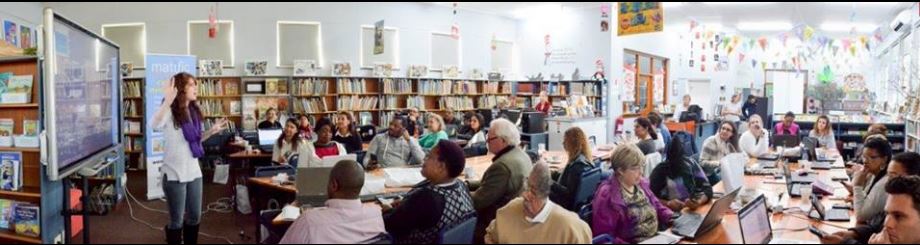
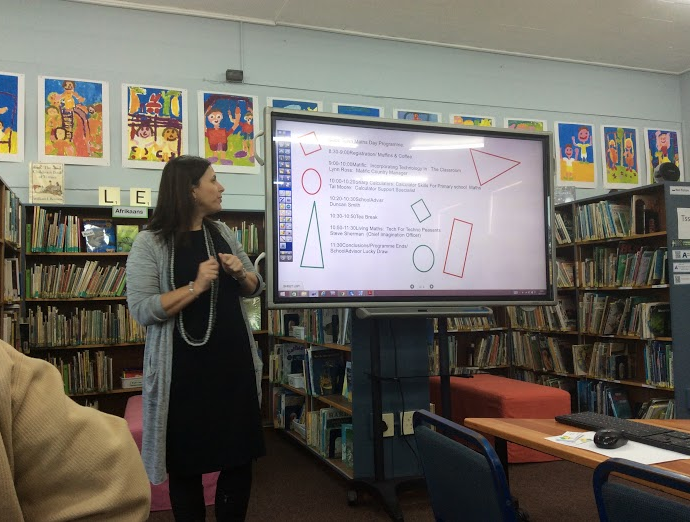
On Saturday morning (14th May) I attended the Cape Town Maths Day at Grove Primary along with 50 other teachers. The focus was on exploring Maths digitally so we were asked to bring along a laptop.  The program was great. We each received a wonderful goodie bag that included a Sharp calculator. The program
“By the end of the day, you will gain an excellent understanding of how to incorporate digital learning in your classroom, some fantastic practical tips and free Goody Bag to take home with you!

  • Matific: Incorporating Technology In The Classroom
    Presented by Lynn Ross, Matific Country Manager
  • Sharp Calculators: Calculator Skills For Primary School Maths
    Presented by Tal Moore, Calculator Support Specialist
  • Living Maths: Tech For Techno Peasants
    Presented by Steve Sherman, Chief Imagination Officer

1. Matific: Incorporating Technology In The Classroom
Presented by Lynn Ross, Matific Country Manager

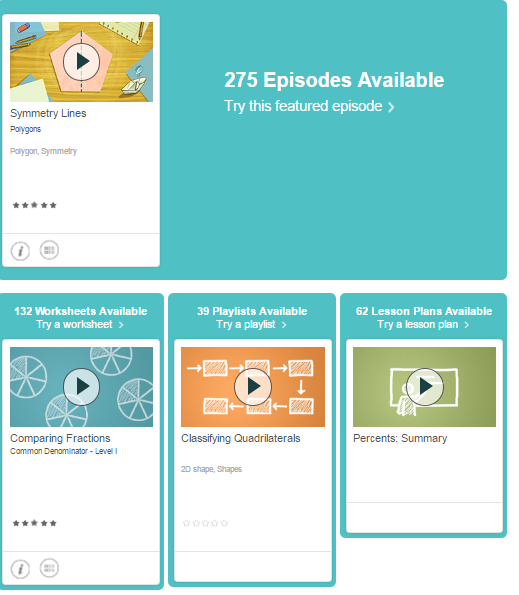
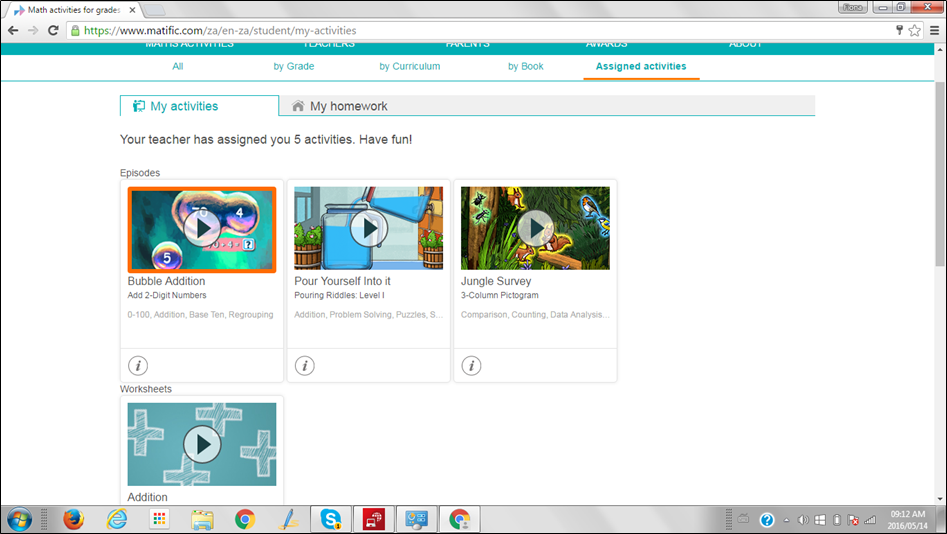
Lynn Ross opened the Matific presentation by enquiring about how teachers felt about using technology in the classroom. The majority felt very nervous about it. They felt their students knew more than they did. Mathific (https://www.matific.com/za/en-za) is a great online Maths program linked to the South African CAPS. There is a 30 day trial and a membership costs R120 per year. It caters for Grades R - 7. The terminology used for getting around the website is episodes, worksheets, playlists and lesson plans. Here is a screenshot from Grade 5:

This was a great presentation - very impressive. Below is a slideshow of some of my screenshots.
2. Sharp Calculators: Calculator Skills For Primary School Maths
Presented by Tal Moore, Calculator Support Specialist

This was also a great session presented by Tal Moore. We opened our wonderful calculator gift and played a lot of games one could do in the classroom - drill, tables etc.

3. Living Maths: Tech For Techno Peasants
presented by Steve Sherman

Presented by Steve Sherman, Chief Imagination Officer This was an amazing presentation. Steve Sherman from Living Maths is a vigourating, entertaining presenter who really held everyone's attention. He spoke on gamifying maths and showed us what fun it could be. The Living Maths website has so many wonderful free resources to use under the Resources section on their website. Today's resources were shared via Symbaloo https://goo.gl/7kmcJr .

We played Jeopardy, Who wants to be a mionnaire, Kahoot and Plickers all adapted for Maths.  Steve Sherman is also a great photographer and he took loads of photos which he has uploaded to an album on the Living Maths Facebook page https://goo.gl/vKv1qD.

Duncan Smith took us through writing a review on SchoolAdvisor https://www.schooladvisor.co.za/.

                               
The final presentation was from a Grove Prmary teacher telling us how he uses Mathific in his classroom.


Then...a lucky draw from School Advisor and the day was over. 9 - 11.30am. It was short and sweet but a day well spent.

Thursday, February 26, 2015

My Takeaways from the first South African iPad Summit on 16th and 17th February 2015

ipad1.JPG

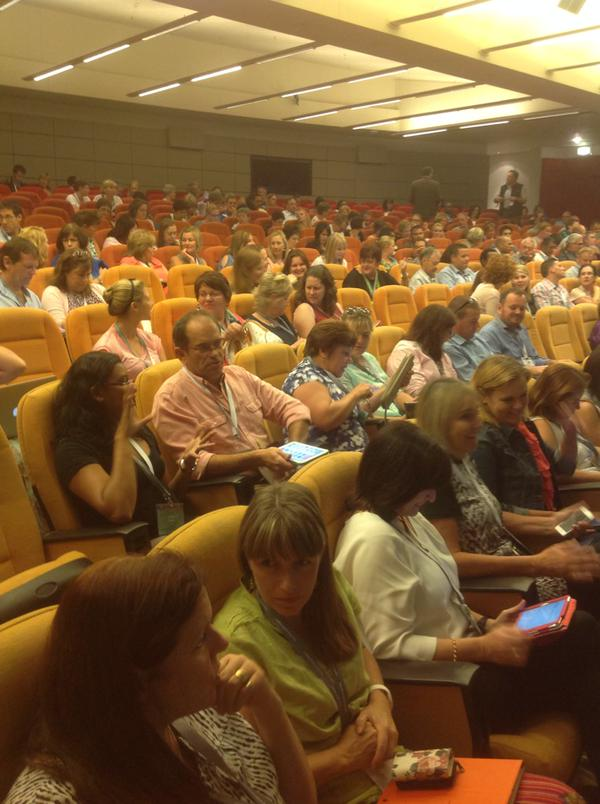
On Monday the 16th of February 400 excited delegates gathered at The Forum in Bryanston, Johannesburg for the South African iPad Summit. These iPad summits are held all over the world, so it was an honour to be able to attend the first one in Africa. The aim of the summit was to share ideas on the benefits of the tablet in the classroom as a tool for learning, sharing and improving creativity.

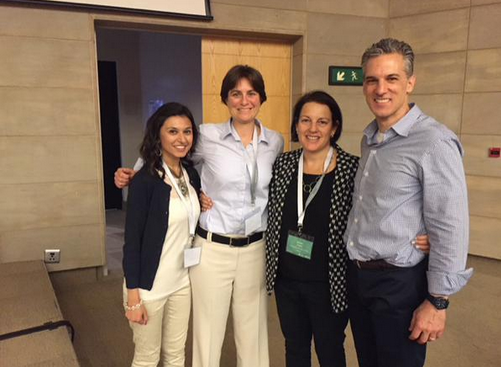
This event was hosted by Think Ahead (Michelle Lissoos) and Apple’s Core group,  and it featured the EdTechTeacher team from the USA comprising Tom Daccord, Beth Holland and Sabba Quidwai. Tom and Beth are two teachers I follow on social media regularly. I didn’t know Sabba, but she quickly joined the ranks of my firm favourites! In this post I’ll give an overview of the conference outlining my ten takeaways and in future posts I’ll outline what I learned in more depth.

 
image

Apps we downloaded before the time
In the week before the summit we were invited to download and join an app called Bizzabo and start networking using this app. (We were also invited to download the Uba app for directions, and the Gautrain app.) Bizzabo was, indeed, a great app to work with.  What you had to do was download the app,  search for the event namely The South African Ipad Summit,  sign up using Linkedin or your e-mail address,  and then network and send messages to the people you recognised among the delegates. We could also see exactly what the program was for the week. Apart from that the program was clearly set out with three choices for each time slot - All, Beginners/Intermediate and Advanced.
 
image

The programme showed exactly which apps to download for each session.   (see: http://edtechteacher.co.za/wp-content/uploads/2015/02/Education-iPad-Summit-App-Guide.pdf)

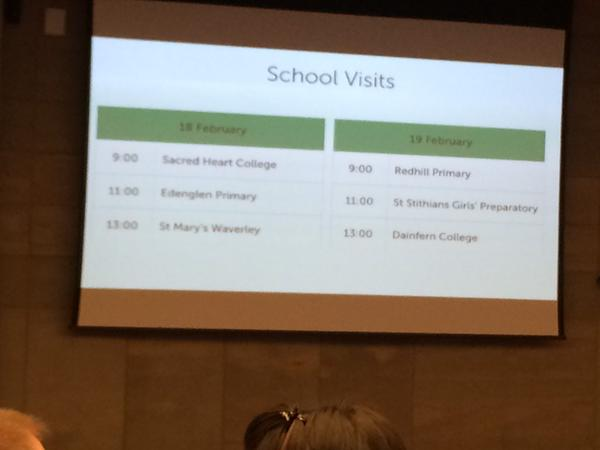
School visits after the conference
One could book to go on school visits for the two days after the conference.  I didn’t avail of this but it must have been a great sequel to the Conference.

 
The session options during the conference
Day 1
  1. Keynote: iPads in the classroom from conception to creation (Tom)
  2. Creating Learning Centres with iPads (Beth).
  3. Digital storytelling with iPads (Tom)
  4. The advanced iPad classroom (Sabba)
  5. Understanding the flipped classroom: concept and strategies (Tom)
  6. Differentiating with iPads to reach all learners (Beth).
  7. Course creation with iTunesU (Sabba)
Day 2
  1. Keynote: Empowering students to share their learning with iPads (Beth)
  2. Deepening technology integration (Tom)
  3. An introduction to iTunesU (Sabba)
  4. Extending the physical with the digital (Beth)
  5. Assessment for learning (Tom)
  6. Reading and writing with iPads (Beth)
  7. App smashing and app fluency (Sabba)
  8. Closing session
My ten takeaways from the Conference

1. Keynote: iPads in the classroom: From Consumption to Creation (Tom Daccord)

image
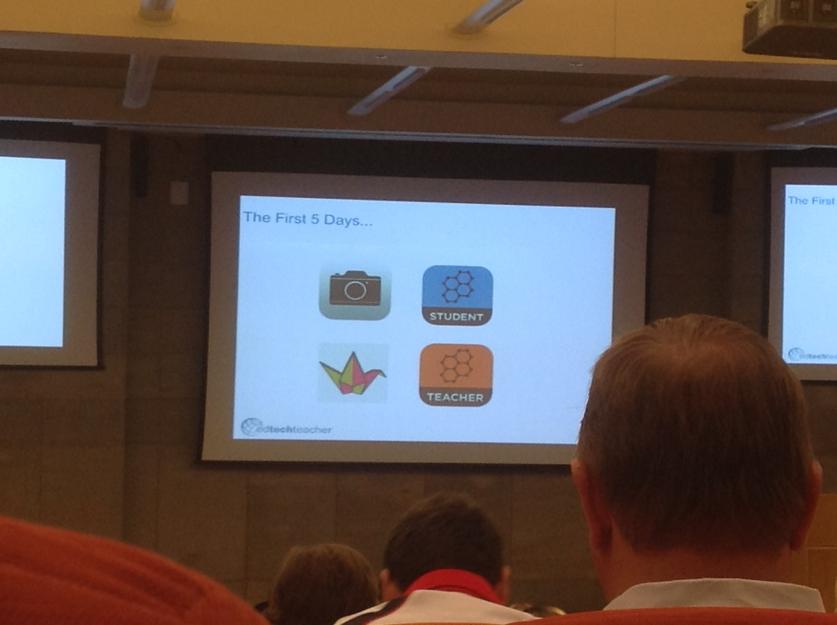
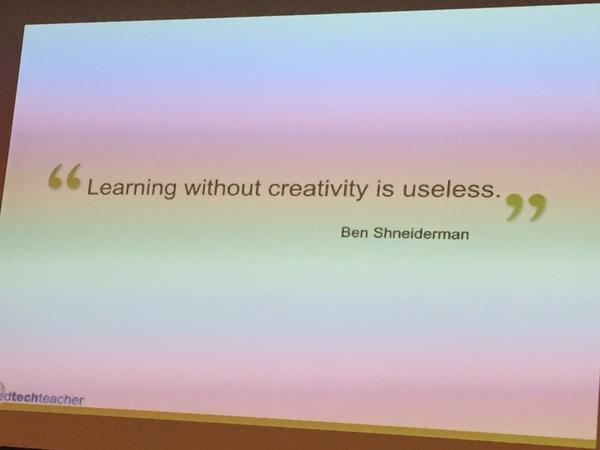
In this excellent presentation Tom outlined different ways for students to use the iPad in in order to produce creations. He gave brilliant ideas for the first day in class,  the first five days of class and the first five weeks of class etc. In fact he gave many useful examples of getting students to create on the iPad in meaningful ways with the teacher providing the necessary scaffolding for the tasks. Many useful apps were referred to and recommended.  Tom stressed that one should look for ‘ Evergreen Apps’  which are apps that can be used in any subject during the learning process, suitable for any learning style. An "evergreen app" allows a child to use a variety of skills/content/knowledge in one app.  We need to empower students through creativity -  technology must be in service of learners to do this. Our task is to unleash creativity and innovation in all learners in multiple modalities and put every student in a position to create content in order to show mastery of the content!
View image on Twitter

Educators shouldn't think of iPads as repositories of apps but rather as portable media creation devices. Never start with what can the iPad do - that limits creativity. Rather think ‘This is what I'd like to do’. It's not what you can teach with iPads but it's about what student can do with iPads.  It is not about the technology – it’s about technology in the service of education!


2. Digital storytelling on the iPad (Tom Daccord)


image


image In this extrememly inspiring session Tom outlined some of his very successful digital storytelling projects including identity narratives, oral histories, social issue documentaries, language activities, maths and science demonstrations and presentations of art and music. We were introduced to popular iPad digital storytelling apps and best use strategies.  The challenge is for students to put together a compelling story with a message. I loved this session with its wealth of great ideas. 

3. Course creation with iTunes U (Sabba Quidwai )


image iTunesU is a unique way to customize content and create learning experiences that incorporate a variety of learning materials. If you create an iTunesU course for your class you can include video, audio, images, books and articles to read. Students can also participate in discussions. One can make announcements to the students who can in turn manage their assignments and tick them off when done. Sabba took us through this process step by step.

4. Creating Learning Centres with the iPad (Beth Holland)


image

image Ipads are a fantastic device for creating learning centres in a classroom. By taking this approach students learn to communicate and collaborate through guided small group activities. The presentation drew extensively from Kristen Wideen’s Grade 2 /3 blog and showed how she uses Fluency Centres, Maths Centres, Writing Centres, Observation Stations etc. extensively. I loved seeing and hearing all the practical ideas from this session.
5. Keynote: Empowering students to tell the story of their learning (Beth Holland)
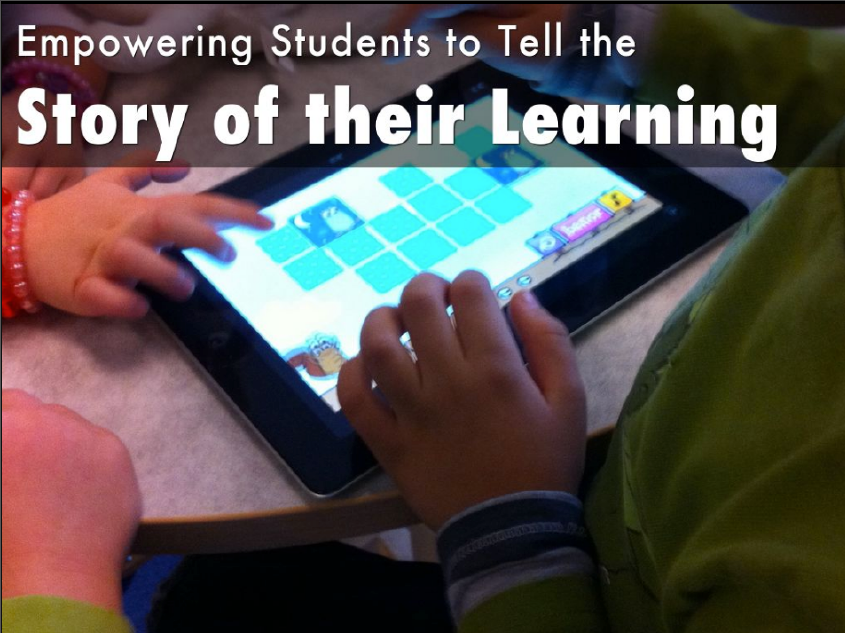
This was a great keynote from Beth Holland. The suggestion was that we remove the technical limitations to what is possible for students to create and by so doing we empower students to tell the story of their learning. We provide them with options and choices for delivering their creations and in so doing we enable their growth. I loved the emphasis on the importance of the process in learning and encouraging students to make their thinking visible.

6. Deepening technology integration (Tom Daccord)
image

This was an amazing, interactive session dealing with Dr Ruben Puentedura’s SAMR model of Substitution-Augmentation-Modification-Redefinition. We saw how this model allows the creation of a dynamic and innovative learning environment. We analysed iPad-integrated activities and worked through the process from enhancement to transformation. The goal with this model is to create technology-rich environments that support student acquisition of higher order thinking skills.

image
image

7. Apps smashing and app fluency (Sabba Quidwai)
The App-smashing 101 presentation on Tuesday was extremely inspiring, teaching us how to use apps in a very creative way, by way of app-smashing (combining) the apps. The important thing about apps is not to have too many of them, and to make sure the ones that you do have can push and pull to the camera roll.

IMG_3027

image

I loved this session – I learned so much! We went through a number of different, possible app combinations.

IMG_2846

We were given a task to create a video app smash and then we held a TeachMeet type report back which was very enjoyable (and inspiring). The most popular apps used in this instance were Tellagami and Book Creator.  

IMG_3056

8. The benefits of using Aurasma in the Classroom (Lulu Burger)
Lulu from Think Ahead gave a brilliant presentation on all the different ways one can use Aurasma, the Augmented Reality app,  in the classroom. She went through the whole process step-by-step. Use of this app can really help make lessons come alive.

image

9. Other highlights
I loved the way we were shown, at the end of each day, some South African video stories of iPads being used in disadvantaged schools around the country.

During the course of the conference we were encouraged to tweet about our AHA moments for a prize at the end of the conference. We could also post these moments on stickies on the provided flipcharts in the foyer.

IMG_3088

Examples:
“Vision Vision Vision AHA moment”

“AHA! The creative product is the culmination of traditional knowledge and understanding of the content."

“AHA moment at #iPadedsummitZA - You don't need to search for all the "best" subject apps. It is about learners creating content!”

“Its about engagement. It's not about content.”

“AHA moment: use #explaineverything app to assess reading comprehension. Excellent idea.”

"It's not about throwing out what we have it's about evolving what we do really well"

10.  The EdtechTeacher team readily shared their resources
The team shared their presentations through a Dropbox link and we also had access to a number of tutorials explaining various apps.
https://storify.com/EdTechTeacher21/weekly-resources-from-president-s-day-wee. We could download two books from http://www.askmsq.com/#!ipad-summit-south-africa/c1hd2

Do Ink Screen: A quick tutorial how to use Do Ink Green Screen to create a moving Newspaper Video http://goo.gl/YjPa1d
Touchcast: http://www.thinglink.com/scene/551087208086372352

This was a very worthwhile conference to attend. At the end of the conference the announcement was well-received that this excellent conference was to become a yearly event!

Conclusion
Before attending this conference I wondered whether tablets really can be seen as creation devices in a classroom. Surely one could do so much more with a laptop! However I have changed my mind completely. I left the conference with a strong belief that we need to encourage creativity and visible thinking in a classroom so that our students engage in 21st century, higher-order thinking skills and that the tablet is probably the best device for this.   The careful use of the right apps can allow for engagement, differentiation and exciting creative expression options in a classroom.

A summary of the tweets from the conference can be found at this Storify link: http://goo.gl/r93ZUZ

Monday, July 29, 2013

Gleanings from ISTE #2: Microsoft at ISTE 2013

It was such a great experience to visit ISTE in San Antonio this June. Microsoft was one of the Level 1 sponsors so I thought I would write a post especially about their generosity to teachers at ISTE 2013


image
The BIGGEST thing about Microsoft at ISTE was their extreme generosity in giving out 10,000 Surface tablets (or was it 11,000) to the registered attendees. Can you imagine the excitement about this as the Surface is said to be a tablet AND a laptop – something really new! A great thing about the Surface tablet is that Office 2013 RT is freely available on it. Of course Microsoft wasn't just dishing these out randomly to anyone that asked for one - a lot of thought had been put into it, prearrangements had to be made,  and there were conditions attached. 
image

1) The tablets were for the school that the attendee represented and this had to be pre-arranged before ISTE via a letter signed by the principal of the school.

2) The recipients had to be prepared to be involved in the Windows in the Classroom Experience Project whereby they discussed and contributed their classroom activities and lesson plans on how to use Windows in the Classroom  on the Partners in Learning Network, and showed the teachers at their schools what was available on the Partners in Learning network. The recipients would also join the Microsoft in Education newsletter and receive additional training resources.

In my mind I can see the Partners in Learning Network becoming an exceptional resource for teachers around the world with great technology integration activities of every type freely available. It is REALLY worth joining that network. 

During ISTE participants were invited to hands-on demonstrations and training in Microsoft’s Learning Lounge in Exhibit Hall D Room 1A during exhibit hall hours.  Those who were offered Surface tables were also pointed to the support offered. They could visit the Surface web site to download the Surface RT User Guide, register your Surface, and find support.)

I unfortunately didn't get to join one of the hands-on experiences on shows how to use Windows 8, Microsoft Office, and Windows Phone to enhance teaching and learning but I constantly took a walk to see what was happening in the Microsoft Lounge. I could see that it was interactive, experiential, and fun and there was a great, excited buzz. 


20130623_173333 20130623_173600
Looking around – the new Surface Volunteers helping with setup
20130623_172721 20130623_180730
Videos dotted around explaining Windows 8 People gathered in groups looking at their new Surface machines

Why don't you join the Partners in Learning Network today if you haven't already done so? You'll be amazed at the magnitude of the free resources, the ideas, the discussions, and the great network of educators from around the world that you can collaborate with. 

Tuesday, July 16, 2013

SchoolNet Conference 2013: Resources from the Virtual School

image

At the recent SchoolNet Conference our two UK International presenters, Frédéric Kastner from The Virtual School in the UK and Malik Wilson, a media professional, gave a couple of presentations on OER (Open Education Resources) that were very popular, and not everyone could get into their sessions. They have kindly created resources for all the teachers who could not attend their session and have sent us the links to pass on. They have created the video tutorial on how to create your own resources. They have also captured the speech in video form and have created an update video on their time in South Africa. They hope that we find these videos useful in creating our own resources for our learners all over South Africa.

Create your own educational videos workshop tutorial:http://www.youtube.com/watch?v=87SZjsHvqSo&feature=youtu.be
(Look at the description for a step-by-step process with links to where you can download the software.)

The Virtual School South Africa Update:http://www.youtube.com/watch?v=kKgEcJvPWuU

Here is the full 25-minute speech:http://www.youtube.com/watch?v=dKr8DJ0FxE8

Please follow their blog for more information on OER that we'll be updating all of the time.http://thevirtualschool.wordpress.com/

Thank you for forwarding these links to us Frédéric and Malik!

Monday, July 15, 2013

Gleanings from ISTE 2013 #1: What exactly is ISTE?


image
Submitted by Fiona Beal
Recently I had the great privilege of attending my very frst ISTE Technology in Education Conference in San Antonio Texas. It is said to be the biggest EdTech conference in the world!.  In South Africa a big conference numbers around 600, so to be thrust into the midst of a conference of 20,000 delegates inclusive of exhibitors, with well over 700 sessions and 150 additional workshops on technology trends, tools, and much, much more WAS quite overwhelming at times but always exhiliarating!  I thank SchoolNet for contributing to this trip and for giving me time off to attend. It was four days of professional development par excellence!  


This is the first in a series of posts on what I learned at ISTE.  In this post I will express some of the wonder I felt at being at such a large conference. In the next post I’ll write a reflection on this unforgettable experience.

Where was ISTE held?
This year the Conference was held in the beautiful city of San Antonio in Texas. It is the 7th largest city in the United States, but it has a country feel with a river winding its way through the city, birds chirping happily in the trees as one walks along the roads, and exquisite flowers in full bloom everywhere. (My hotel was a ten minute walk from the conference centre.) The conference itself took place in the most enormous Conference centre I have EVER seen with a river running through the middle of it. Everything is bigger and better in Texas it seems.

image image
image image

I was sure glad to see these ‘Ask Me’ volunteers dotted around the Conference halls. I think they worked pretty hard directing everyone to the multitude of venues.

image image

The ISTE App

I loved the idea of an ISTE App to download on one’s tablet prior to the conference taking place. This had everything one needed to know on it including a conference planner. One thing that I found quite fascinating is that there were no rooms with computers in them at the conference. EVERYONE had their own device. One could book for three free BYOD sessions and any of the paid sessions. I avoided the paid sessions with the exchange rate between rand and dollar being so AWFUL but there were hundreds of free sessions of every kind to attend.

image


Types of sessions
The organisation at ISTE was quite unbelievably amazing!  As a delegate from Africa you can imagine how awestruck I felt most of the time. Such a choice of sessions! These were some of the the unbelievable options:

Three keynote sessions
BYOD workshops either paid or free
Special focus group sessions
Poster sessions
Start up pitches for new companies
Global collaboration spoltlights
Unconference on the day preceding ISTE
Corporate spotlights
Aspire sessions
Sessions Learning 
Technology Playgrounds 

Bloggers cafe sessions
Events of all kinds
Parties at night
Food centres
Research papers
Gatherings
Photo and QR code walks
Panel discussions
Bookstore of Iste books.
ExhibitorsStudents show cases

Actually there were many more opportunities than this…too many to mention! Basically one had to mark off a list of choices on the conference planner and make one’s choices before the conference started in order to stay on top of things.


Photo walk
I loved the photo walk on the first day where we explored the river walk area with a tour guide and pooled all our photos. This was such a highlight.

image

Keynote Speakers
The three keynote sessions were such a highlight. One hard to start queing an hour or two before to get a seat inside the 6000-seater auditorium.  There were also viewing rooms allocated in different places.

image

The opening keynote was from Jane McGonical on the gamification of education. Wow, this session was SO thought provoking. Jane McGonical quoted an enormous body of research showing how students learn from games in education and why. I’ll do a report back in another post.

image
The ten positive emotions that gamers feel
Steve Johnson was the keynote speaker on the second day of the conference on ‘Where do good ideas come from?’. This session was very enlightening. He explored the concept of where and how good ideas originate. Drawing on examples from both inside and outside of education, he identified real-life learning environments that operate as incubators of creativity. He showed how innovative learners solve problems by borrowing ideas from multiple fields of thought, and how both educators and students leverage peer networks to mobilize as agents of change. Basically we learn from others and build on shared knowledge. 

image

The enormously popular Adam Bellow, creator of Educlipper, gave the closing keynote where he invited us to change the world.’You’re Invited to Change the World.’ Adam showcased stories of inspiration from classrooms around the world and invited us to challenge ourselves to make a difference in our schools with creativity and kindness.Adam wore his Google glasses throughout his presentation!


image

All three keynote speakers influenced my thinking enormously.  All three have published books. 

image image image

Conference house band
The conference had a house band for the keynotes – an awesome band of students from some of the local high schools called ‘The Dara Niemi Band’. I just LOVED their music and their talent!   (And I bought their CD)

image
The band in action
image
Signing CDs
This is them singing one of their original songs. 


Publishing with ISTE
Teachers can publish their technology passions in hard cover with ISTE! I think this is an amazing feature of ISTE.  There were all kinds of books written by teachers available at the ISTE book store – I was really tempted to buy some of them.

image image image

Bloggers’ Cafe
This was SUCH a popular spot at ISTE where folk could sit and chat, and meet friends and blog etc. Sue Waters from Educblogs organised regular blogger speakers at the Cafe.

image


Special Interest focus groups
These were plentiful. I joined quite a few, my number 1 being the Digital Storytelling group and no 2 being the Literacy group. We joined these well before the conference and started receiving emails of events and happenings that would take place at ISTE. As you went around looking at the offerings of the different Special Focus groups and at the Expo, you collected ribbons to add to your name tag – there was a prize for the most ribbons at the end of the Conference – sponsorship to ISTE 2014!

image


Learning Sessions
What a choice! You had to know what you wanted so as to rush there and get a seat. Sometimes there were lon.n.n.g queues. These are just a couple of examples of some I attended.

image image
image image
image image
image image

Networking
Of course this was a highlight of note! There were so many ‘big names’ at the Conference that it felt great to put names to faces to virtual names. On the Monday night I met up with some of the Microsoft Partners in Learning Institute group for supper, and later I met up with the Google Certified Teachers group….it was marvelous reconnecting with friends from all over the world. I loved attending the Ignite sessions where teachers were given five minutes and 20 slides to talk about something. Imagine how excited I was when one of the teachers from New York spoke about her global collaboration projects and mentioned how Karen de Stadler from Cape Town’s rhino project had captured the hearts of her students and had developed a life of its own right there in New York! Here are some of the friends I reconnected with:

image
Wernad and Nina Adams from St Cyprians, Cape Town who now live in Denver
image
Friends from the Partners in Learning Institute in Seattle in July 2011
image
Microsoft Innovative Teacher friends from the USA
image
Google Certified Teacher friends from
the Google Teacher Academy in New York
 in 2012
Boat trip along the River Walk
I was lucky enough to be allocated one of the 40 seats in Powerful Learning Practise’s boat trip along the river walk on the Tuesday evening. It was just SO beautiful - another one of the highlights of the trip. 

image image

What an INCREDIBLE experience ISTE 2013 was. It was definitely worth the 2 days of tiring multi-stop air travel each way that it took to get there and back!  I’ll be writing a number of posts about this experience in the next couple of weeks, especially highlighting the amazing things I learned in some of the sessions.

image